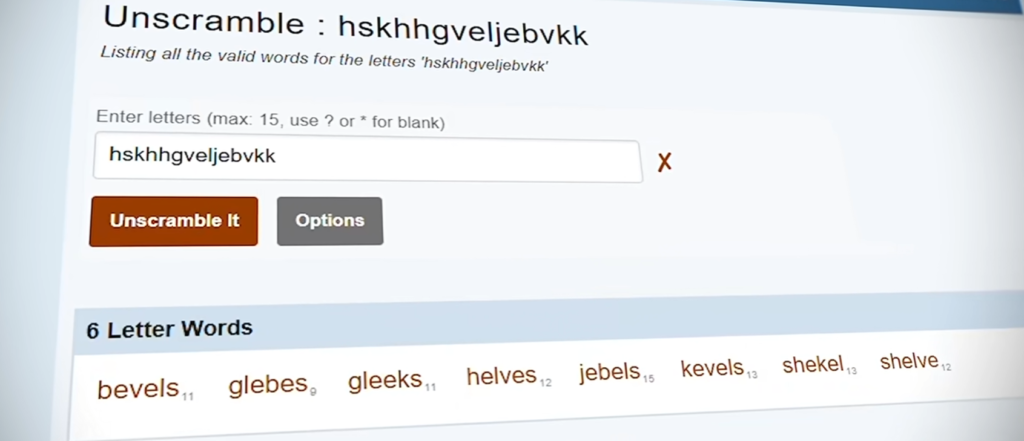
Every month, one remarkably boring website pulls in around 11 million visitors and earns roughly half a million dollars — by doing a single simple thing: unscrambling words. There are no products to sell, no viral articles, and no massive social media following behind it. You type in a handful of random letters, and it spits out every real word you can make from them. That is literally the entire business.
And it is far from alone. Thousands of simple utility websites are quietly generating serious income every single month. Until recently, building one meant months of learning to code or thousands of dollars paid to a developer. Thanks to AI, that barrier is gone. In this guide, you will learn exactly how the utility website model makes money, how to build your own utility website in about 15 minutes with Hostinger Horizons (no coding required), how to monetize it with Google AdSense, and — the part most tutorials skip — how to pick an idea that can actually rank on Google.
What Is a Utility Website (and Why Is It Such a Good Business)?
A utility website does exactly one thing, and it does it instantly. A visitor arrives with a specific problem — unscramble these letters, calculate my mortgage, what is my IP address — gets the answer in seconds, and leaves happy. There is no content treadmill, no inventory, no customer support. And the numbers behind these “boring” sites are anything but boring:
| Utility Website | What It Does | Estimated Monthly Earnings |
| Sleep calculator | Tells you the best time to go to bed | ~$9,000 |
| What Is My IP tool | Shows your IP address | Up to $111,000 |
| Calculator.net | Dozens of everyday calculators | ~$825,000 |
| Word unscrambler site | Turns random letters into real words | ~$495,000 |
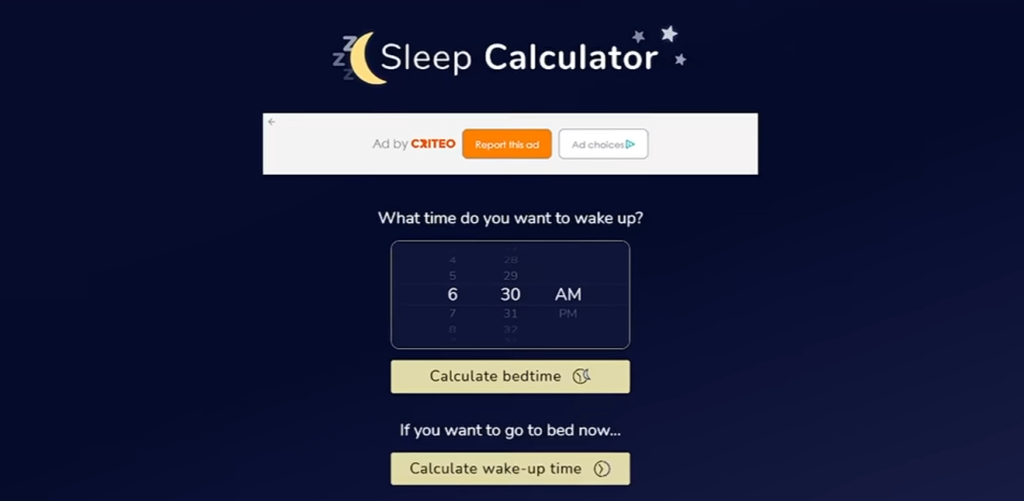
They all run the same simple model: rank on Google for a high-demand search, answer the query instantly, and get paid for showing display ads. The demand is evergreen — people needed a budget calculator ten years ago, they need one today, and they will still need one in 2030. Something you build this week could still be earning for you years from now.
How Utility Websites Make Money with Google Display Ads
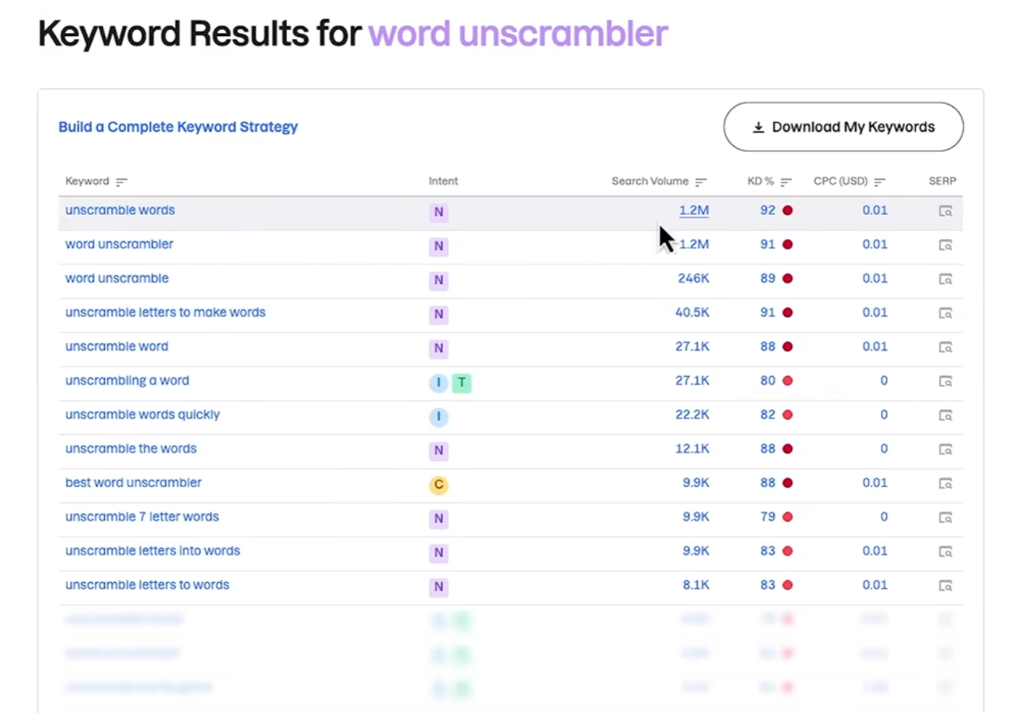
Install a free Chrome extension like SimilarWeb and you can see the engine for yourself: the word unscrambler site in this example gets between 10 and 11 million visitors a month, because people search terms like “unscramble words” and “word unscrambler” millions of times every month. Each visitor views about five pages on average, which works out to roughly 55 million page views per month.
Here is what most people get wrong: visitors do not need to click the ads for the site to earn money. The site gets paid simply for showing the ad. The metric that matters is RPM — revenue per thousand page views. For a site with strong engagement and mostly tier-1 traffic (for example, from the United States), a realistic RPM sits somewhere between $3 and $12. Run the numbers at a $9 RPM:
•55,000,000 page views ÷ 1,000 = 55,000
•55,000 × $9 RPM ≈ $495,000 per month If the real RPM is lower, the site earns less; if it is higher, it earns more. Either way, that is a six-figure monthly income from a website that does nothing but unscramble words.
Why the Utility Website Model Works So Well
It solves one problem instantly. Someone searches “mortgage calculator,” gets their answer in seconds, and leaves satisfied. Happy searchers make Google happy, and Google rewards the site with more traffic.
The demand is huge and evergreen. These searches never go out of fashion, so a well-built tool can earn for years with zero maintenance.
You build it once. Compare that with a blog or a YouTube channel, where you have to publish constantly to keep the income flowing. A utility site runs indefinitely after a single build session.
The barrier to entry has collapsed. Until recently your only options were spending months learning to code or paying a developer a few thousand dollars per tool. Today, AI builders let anyone launch a working tool in minutes — which is exactly what we will do next.
How to Build a Utility Website with AI in 15 Minutes (No Coding)
The tool we are using is Hostinger Horizons, an all-in-one AI platform that takes your idea from a plain-English description to a fully operational, published website — hosting, domain, and monetization included. You chat with the AI, and it writes all the code for you. Here is the complete process, step by step.
Step 1: Sign Up for Hostinger Horizons
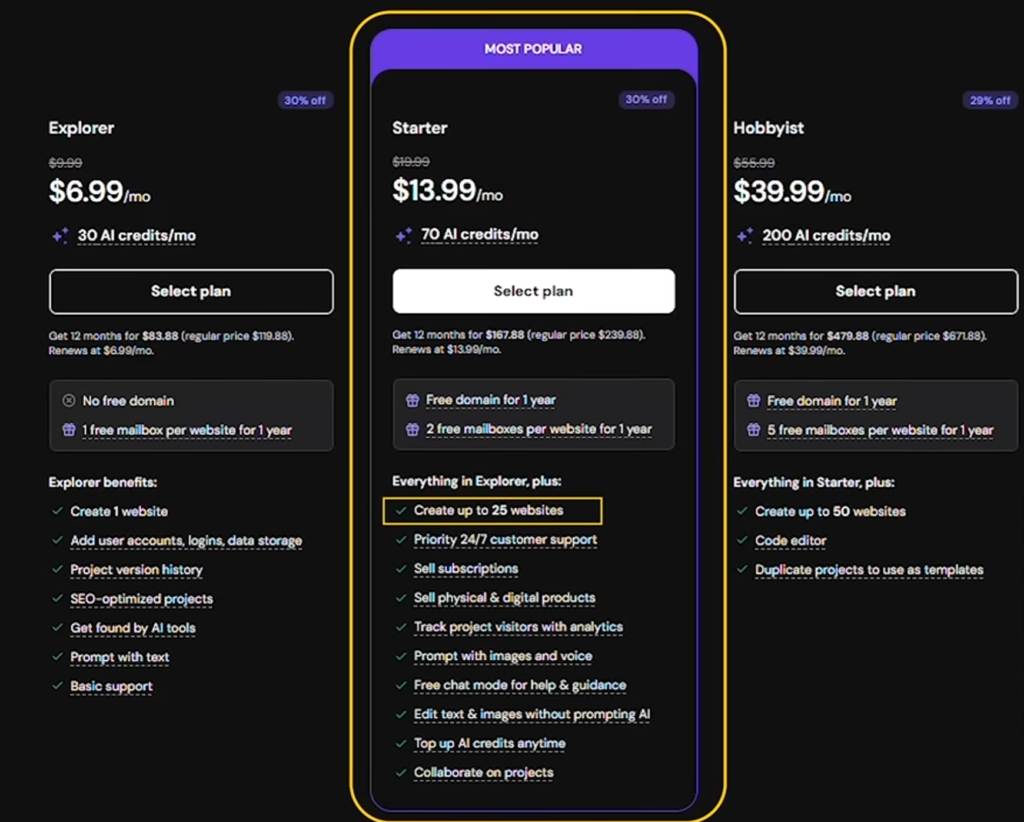
Click the link below to go straight to Hostinger Horizons. The Starter plan is more than enough for this project: you can launch up to 25 websites, monetize them, sell digital or physical products, andyou get a free domain for the first year. If you choose the 12-month option you get a large discount, and there is a field for a coupon code that takes an additional 10% off on top of that. Every plan is covered by a 30-day money-back guarantee, so you can try the whole process risk-free.
Step 2: Describe Your Web App in Plain English
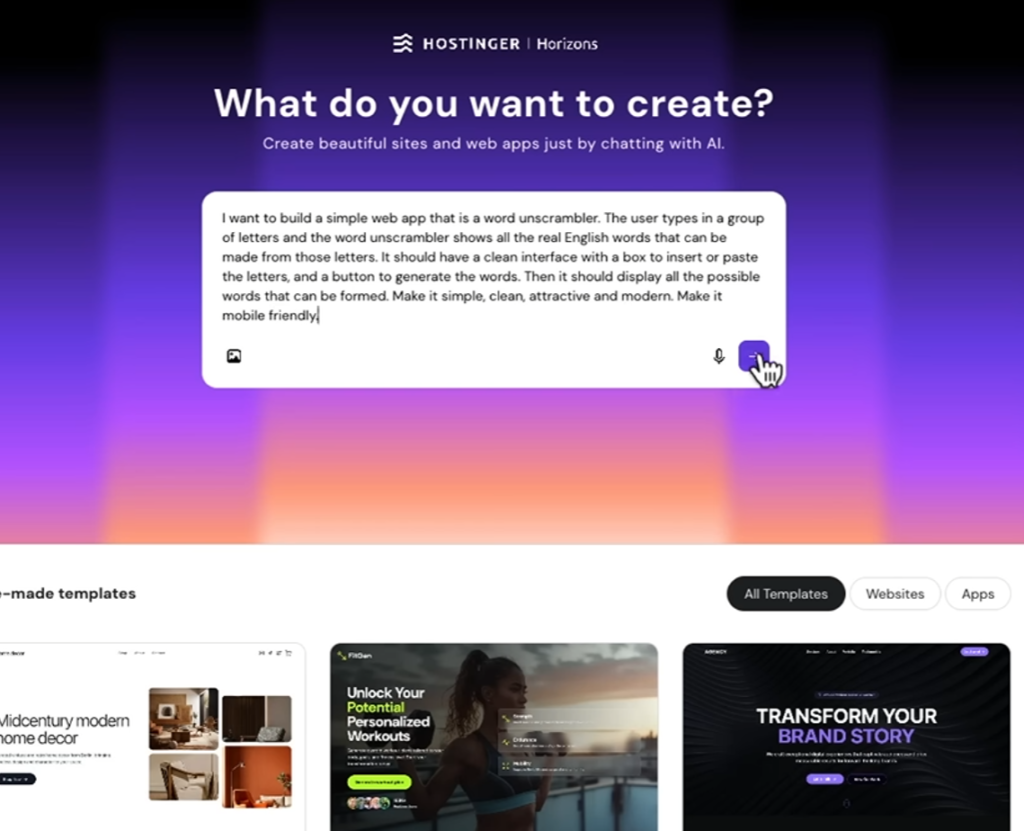
Inside Horizons, everything starts with a chat box. You simply describe what you want, exactly as you would explain it to another person. Here is the exact prompt used to clone the word unscrambler site:
Example prompt:“I want to build a simple web app that is a word unscrambler. The user types in a group of letters, and the word unscrambler shows all the real English words that can be made from those letters, grouped by word length.”
Hit enter, and Horizons gets to work. After a few minutes, it delivers a working version of the app. No code editor, no developer, no setup — just a functioning tool built from a sentence.
Step 3: Refine the Design with Follow-Up Prompts
The first draft hid the main function behind a button click — not ideal for a tool that should work the moment the page loads. This is where most beginners would get stuck, but with Horizons you just tell it what to fix: “The letter box to put letters into should be available immediately.” Under two minutes later, it is done. Type in random letters, and the app instantly finds 12 real words, neatly grouped by length.
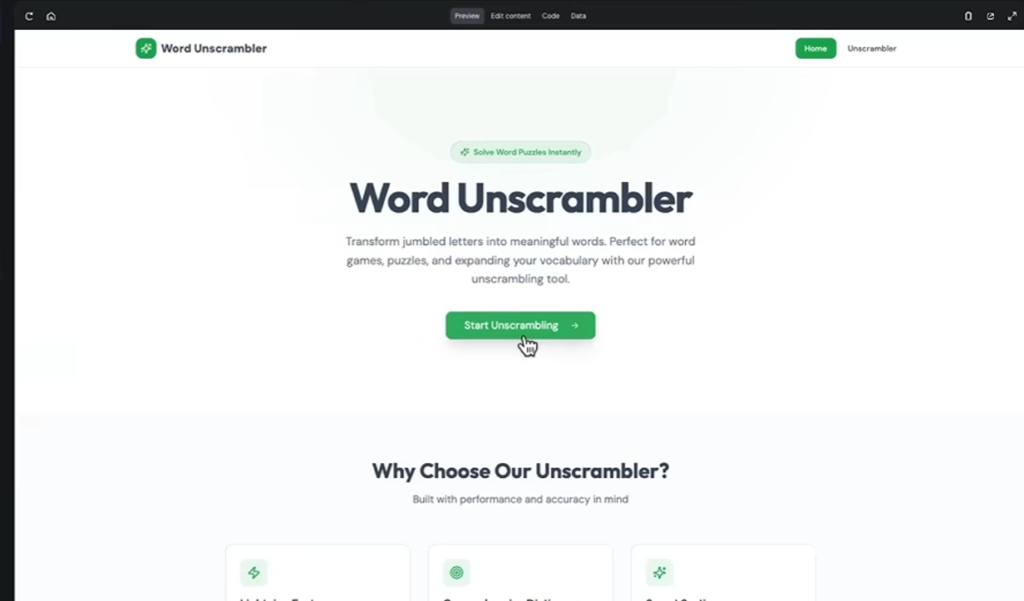
Want the unscramble button closer to the input field? Bored of the black-and-green color scheme? Just ask. Horizons follows each instruction to the letter — moving the button, introducing a friendlier color palette — while the app keeps working exactly as intended.
Step 4: Add the Advanced Options Every Top Site Has
Look closely at the most successful sites in this niche and you will notice they all include extra filtering options — essential for word games like Scrabble and Wordle. Coding that logic yourself would be a real headache. With Horizons, you simply describe what the options should do: filter words that start with a specific letter, contain a specific letter, or have an exact length. A few minutes later the feature is live. Ask for a five-letter word starting with “E” and it returns “eagle.” Ask for every word containing an “X” and the full list appears. One final tweak — keep the options collapsed by default and make the main button stand out with a bolder color — and the app is ready to publish.
Step 5: Publish and Connect a Custom Domain
Publishing could not be simpler: click the Publish button, and your site is live on the internet. There is one thing to change immediately, though — the domain name. The temporary domain Horizons assigns is bad for SEO, and your domain largely determines whether Google can find and understand your site. You want a domain that matches what your site does. Open the built-in domain search tool and check your ideal name. Unsurprisingly, wordunscramble.com was taken — so ask ChatGPT for a list of available alternatives, pick a .com you like, and connect it in a couple of clicks. Despite the “propagation may take time” warning, the site is usually up and running almost immediately. Load it on your phone and you will see it is fully responsive and functional on any device. Congratulations — you have just built your first utility website.
How to Monetize Your Site with Google AdSense (Step by Step)
Remember the math from earlier — page views and RPM? This is the step that makes it real. AdSense has a reputation for being a headache, but combined with Horizons it is about as painless as it gets:
1. Sign up. Go to adsense.google.com, click Sign Up, enter your new site’s domain, and click “Start using AdSense.”
2. Fill in your payment info. This tells Google where to send your earnings.
3. Add the AdSense code to your site. Click the “Get code” button in AdSense, copy the snippet, and then simply ask Hostinger Horizons to insert the code into your site for you — no manual file editing. Publish the changes.
4. Preview and choose your ad placements. AdSense shows you where ads will appear on both desktop and mobile. Remove any placements you do not want, then click “Apply to site” and save.
5. Verify and request a review. Confirm you have placed the code, click Verify, and once your site is verified, request a compliance review.
One thing to be upfront about: you will need to do a little more work before AdSense accepts your site. The successful sites in this space all have a handful of related tools, legal pages (privacy policy, terms of service), and some supporting content explaining what the site is for. That sounds like a lot, but with Horizons the legal pages and content take minutes, and each extra tool is just a repeat of the same chat process you have already done.
How to Find Utility Website Ideas That Actually Rank on Google
Ads alone do not generate income — traffic does, and traffic comes from ranking at the top of Google. This is the part that determines whether your site earns money or just sits there doing nothing, and it is the part most tutorials completely skip.
The goal is simple: find something a lot of people search for, without heavy competition from established sites Google already trusts. And the best way to spot a beatable topic is to look at Google itself. When the first page of results includes brand-new sites, it usually means the older, trusted sites are not fully answering the query — so Google is still looking for better results. That gap is your opportunity.
Here is a practical method that removes the guesswork:
Start with one broad seed keyword. Something like “calculator,” “PDF,” or “generator.”
Run it through a keyword research tool. Filter for easy keywords only — a maximum difficulty of 10 out of 100 — and sort so the easiest appear first.
Shortlist queries a web app could answer. For example, “phone number generator” is a perfect candidate for a simple tool.
Analyze the search results for new sites. Check the first page of Google for your shortlisted queries and look for sites with very low trustworthiness scores — low scores almost always mean the site is new. If new sites are already ranking, Google has decided they answer the query better than established players. That is a gap you can fill.
Using this exact process, three queries with new sites on page one surfaced immediately — including “random phone number generator” and “dragonborn name generator.” Both have decent monthly search volume and should be able to rank quickly. Nothing stops you from building several of these tools — even on a single site — so you are never putting all your eggs in one basket.
Bonus Income Stream: Remixable Templates
Hostinger Horizons has one more feature that can generate passive income — and most people completely overlook it. Every site you build can be published as a remixable template. Anyone who likes your work can click “remix” and instantly get their own copy to edit and turn into their own project.
Here is the part that pays you: if someone remixes your template and then signs up for Horizons, you earn a referral commission on whatever plan they choose — up to $150 per referral. Activating it takes seconds: inside your Horizons project, enable “Let others copy your website” and allow copying. That is it. The more sites you build, the more templates you can offer, and the more chances you have of earning commissions completely passively — on top of your ad revenue.
The Compound Strategy: Build a Portfolio, Not a Lottery Ticket
Do not put pressure on yourself to build a mega-hit on your first attempt. One tool might earn $20 a month, another $500, another $5,000. The smarter play is a portfolio: publish multiple simple tool sites — or a handful of related tools on one site, exactly like the word unscrambler example does — each pulling in its own traffic and showing its own ads. The earnings stack up fast. Five tools earning $200 each is already $1,000 a month. And since going from idea to published site takes under an hour with Hostinger Horizons, you could realistically publish several tools in a single day. As those sites age and climb the rankings, modest earnings compound into something genuinely life-changing.
Final Thoughts: Your First Digital Asset Is 15 Minutes Away
Six months ago, building something like this meant learning to code or hiring a developer for a few thousand dollars. For most people, that door was simply closed. Now you can do it in an afternoon — and the tools you build do not expire. A calculator you launch today can still be earning in 2030 with zero maintenance.
Only a small percentage of people even know this business model exists. A smaller percentage will take action, and an even smaller one will keep going if the first project does not take off. Be one of the few who do — because the only guarantee of failure is not trying. The model is proven, the demand is evergreen, and the barrier to entry has never been lower.
Start building your first utility website today
Try Hostinger Horizons risk-free with the 30-day money-back guarantee. Use the 12-month Starter plan plus the coupon code for the biggest discount.